Loading Donald Lena…
Custom software for contractors and local services
Keep the whole job together.
From the estimate to the final payment, the work should have one clear record. I build the system around your team’s actual sequence, connecting what you already use where it makes sense or creating a new home for the work.

The working day
A site measurement changes the quote. Who updates the job?
For a glass installer, the office still needs the approved scope, supplier cost, install date, deposit and final balance to agree. That is the kind of handoff I build around: one job with each decision recorded, whether your existing software stays or we create a new workspace.
Follow one job
Shown here as a workflow, not a promise of a preset package.- 01
Estimate
Keep the client, scope, quoted amount and next step together.
- 02
Schedule & do
Carry measurements, materials, dates and field notes into the work.
- 03
Record costs
Attach expenses and receipts to the job so the owner can review the direct cost.
- 04
Invoice & collect
Create a PDF invoice, track deposits and balances, and follow up with context.
Made in the field
MetroGlass Pro OS grew from the real glass installation sequence.
The internal app I built connected client and job history, glass specifications, install dates, expenses with receipt images, deposits, PDF invoices, Stripe payment links, reminders and reporting. The original database was later deleted, so this is a documented past build. Follow the case to see how the job and its recorded money were kept together.
Explore the case study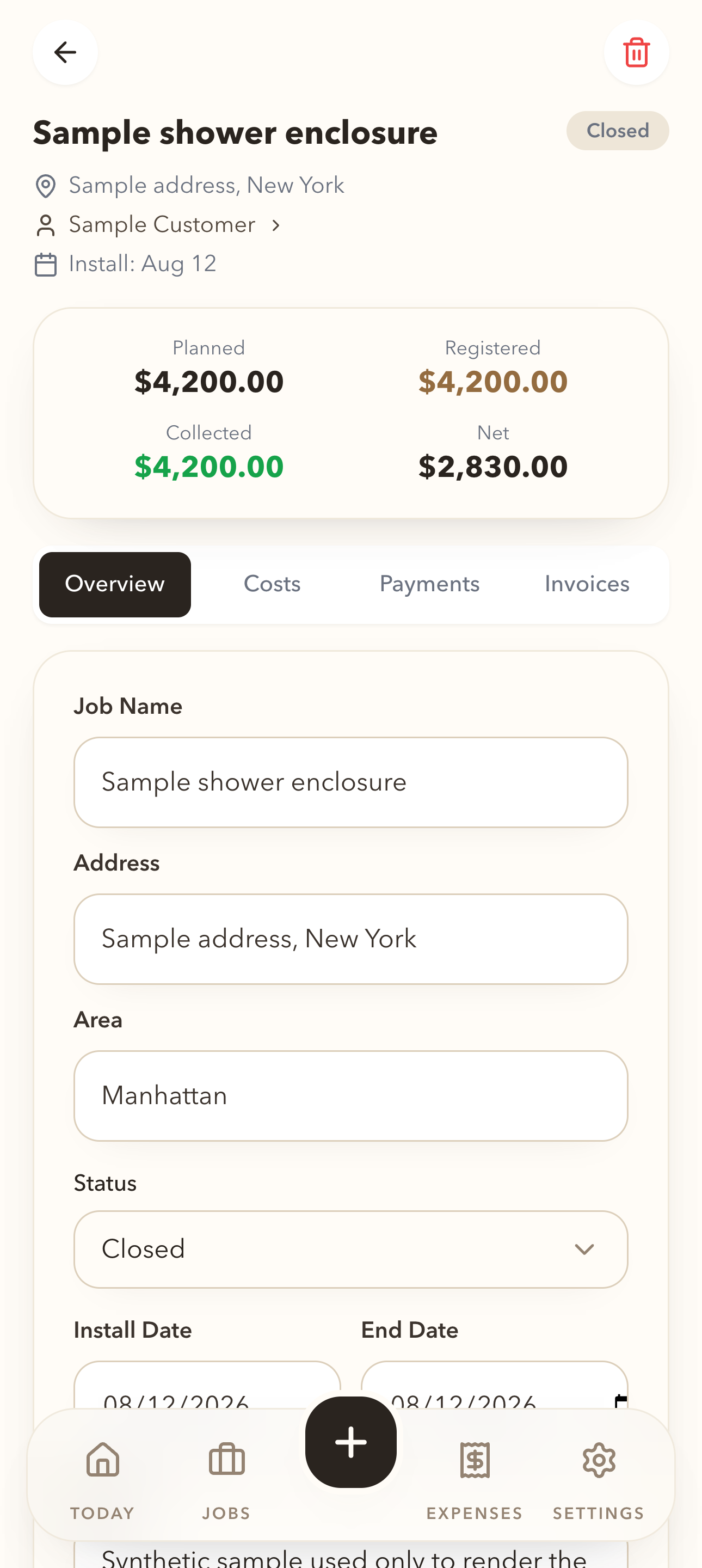
Built to evolve
Start with what matters now. Add what the work proves you need.
Connect or create
If your current software carries the job cleanly, keep it. I first check its settings and supported integrations. Custom code belongs at the handoff that still leaves your team retyping, guessing or chasing an answer.
Give each person the right view
Owners, office staff and field teams need different information and permissions. The interface should work where the job happens, including on a phone.
Add careful automation
Labor costing, receipt-field recognition, hardware references and AI-assisted sketches can be scoped as later modules. Extracted numbers and drawings remain reviewable by a person before they drive financial or fabrication decisions.
The owner’s view
Know what has been quoted, billed, collected and spent.
These are different numbers. A useful system shows them separately, points to overdue or incomplete records, and makes job-level contribution easier to review. Accounting and tax treatment stay with your bookkeeper or accountant.
Explore job costs and invoicingHow we begin
Scope before software.- 01 / Observe
Walk through one real job, the tools involved and the point where context gets lost.
- 02 / Choose
Define the smallest useful release, integrations, permissions and success measure.
- 03 / Build & use
Test with the people doing the work, train the team and adjust from real usage.
Start with the constraint
What part of the job is hardest to keep together?
Tell me what kind of work you do, what software you use, and where the handoff breaks. A short first conversation can determine whether a focused fix or a larger system is the right next step.
No customer records or account access needed for this first review.