Loading Donald Lena…
Internal tools · Email
Why I Built Maily to Work Across Four Business Inboxes
I use separate inboxes for different businesses. The useful connection was one place to find a message while keeping its account clear, then prepare a reply from the right sender. That is what I built Maily to do.

Keep the source account attached
Maily connects four Google accounts separately. Search can run across all connected accounts, but each result retains the account it came from. Reading a message requires both that account and the message identifier.
That small detail is central to the workflow. Finding the right message should not create doubt about which business received it. The same account information needs to survive the transition from search to reading to preparing a reply.
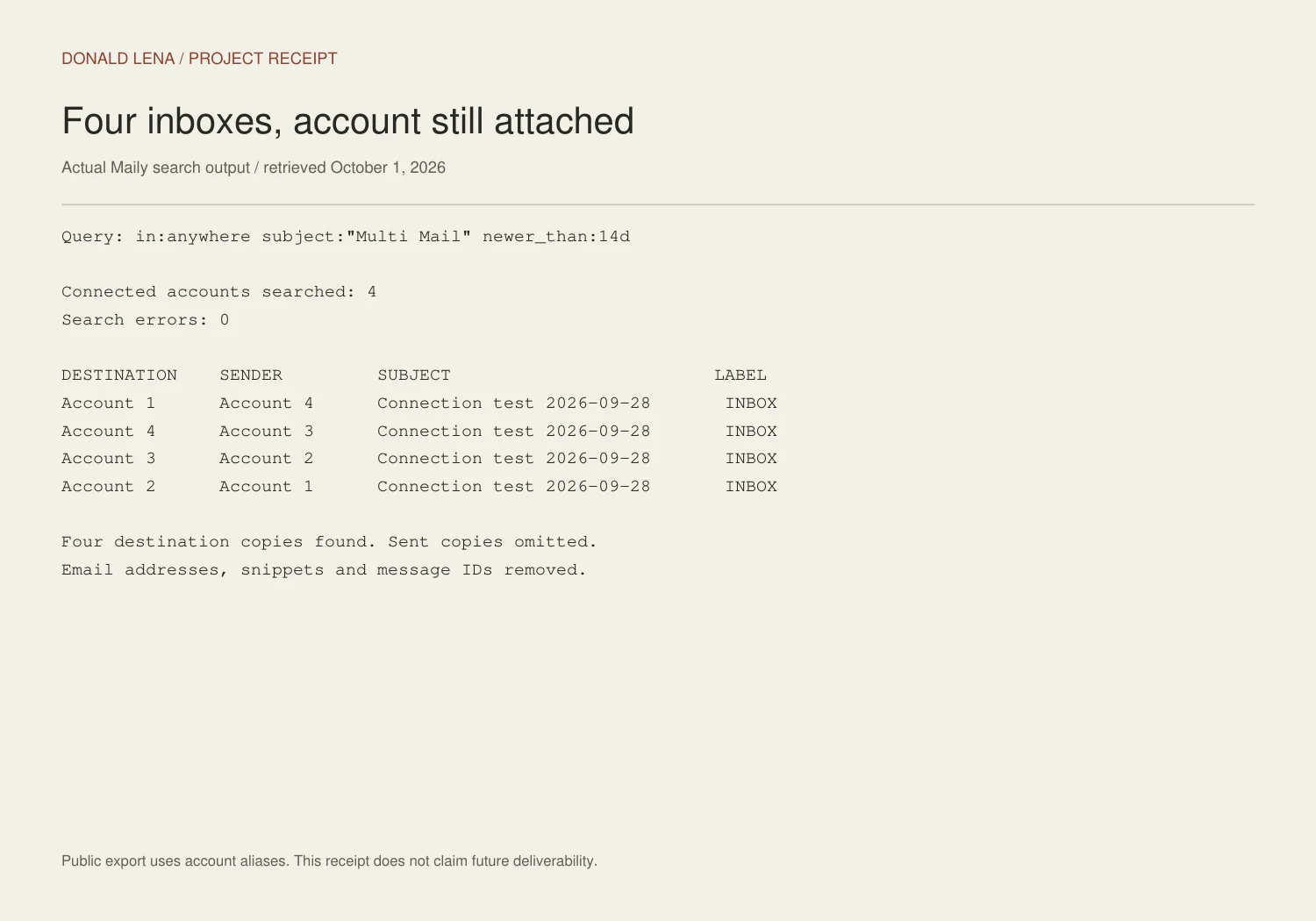
A live connection-status check on October 1 showed all four accounts connected. I also retrieved the September 28 connection-test messages through a cross-account search. The public receipt uses account aliases and removes email addresses and message identifiers.
Review the message that will actually be sent
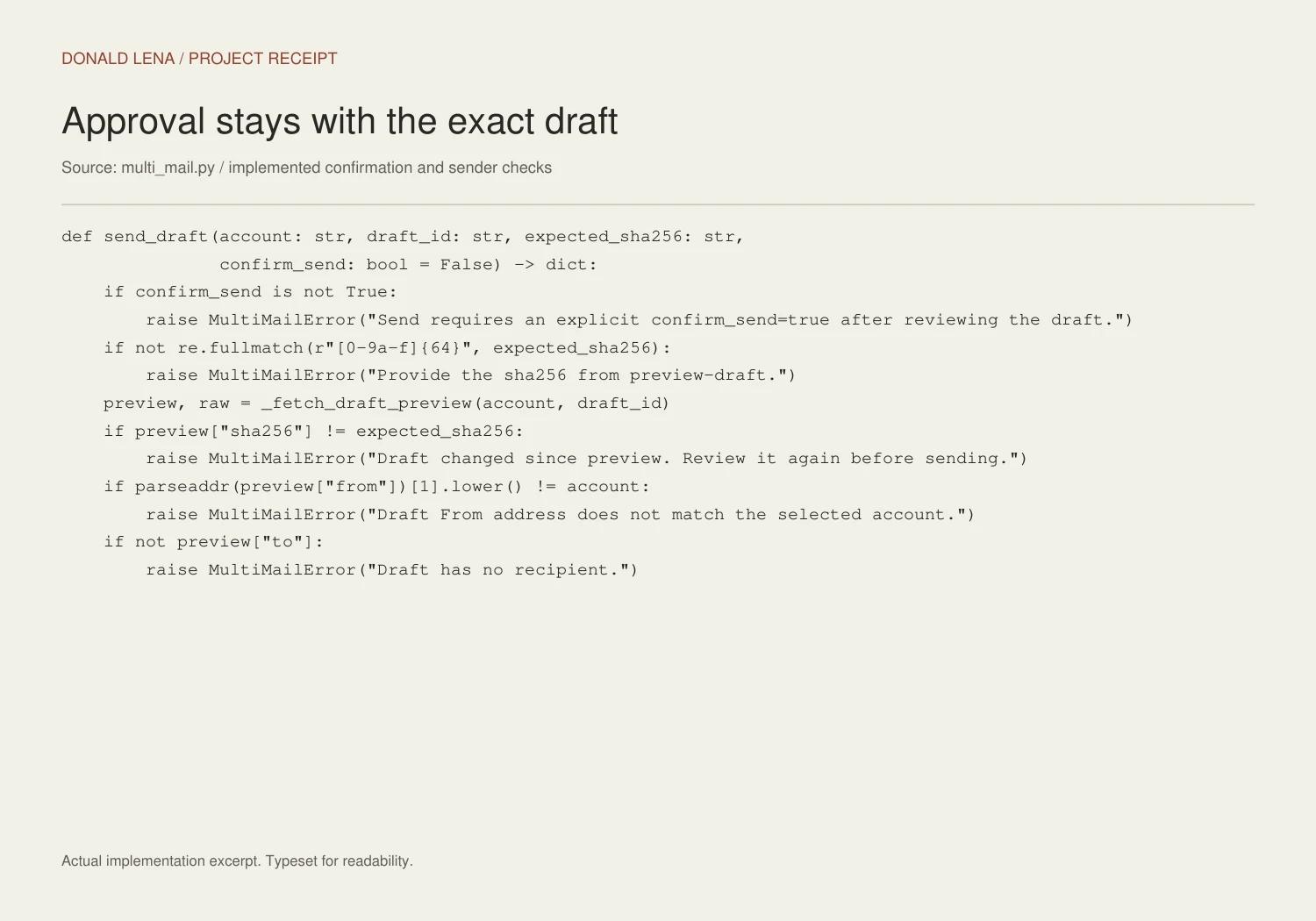
Maily can create a Gmail draft and return an exact preview of its sender, recipients, subject, and body. The preview also includes a SHA-256 fingerprint of the raw draft. Sending requires explicit confirmation and the fingerprint from that preview.
Immediately before sending, the tool fetches the draft again. If its content has changed, the fingerprint no longer matches and the send is rejected. It also checks that the From address matches the selected account and that a recipient exists.
Drafts with attachments or a body too long to review in full are refused by this sending path. Those cases go back to Gmail for review. The purpose is practical: an approval should apply to the message the person actually saw.
Test both sending and arrival
The original connection test ran a four-message ring: each account sent one test message to the next account. The recorded checks confirmed Google accepted the sends and found the corresponding messages in the destination accounts.
One message initially landed in Spam. That was worth recording because acceptance by the sending API did not prove inbox placement. The October 1 search found the destination copies with Inbox labels, but it does not change the original delivery observation.
The test is evidence of that specific path. It is not a deliverability guarantee for future client mail, and it does not establish that every connected account will stay authorized indefinitely.
A small tool with a clear boundary
Maily runs as a Codex tool and a command-line workflow on this Mac. It is not a new standalone inbox app. The authorization material stays in macOS Keychain, and the tool does not offer deletion, archiving, or relabeling of mail.
The useful scope is deliberately clear: find a message, know which account owns it, read it, prepare a draft, review it, and explicitly authorize the exact send. It gives the operator a shorter path without removing the decision to send.
Connecting inboxes works when the account identity stays visible and approval stays attached to the exact draft. Convenience should make the sender clearer.
Have a workflow that needs a clearer next step?
Tell me what you’re working on ↗